
The Cite Shop Client Sync - Configuration & Usage
Setup
Step 1: Download the plugin
Download the 'The Cite Shop Client Sync' Zotero plugin: Download
(Important for Firefox users: Zotero is based on Firefox. As a result, it recognises the .xpi file as a browser extension and attempts to install it in Firefox itself. That’s not what we want – the file belongs in Zotero. So click with the right mouse button on the download link and select ‘Save target as…’ or ‘Save link as…’ to download it.)
Step 2: Installing the plugin in Zotero
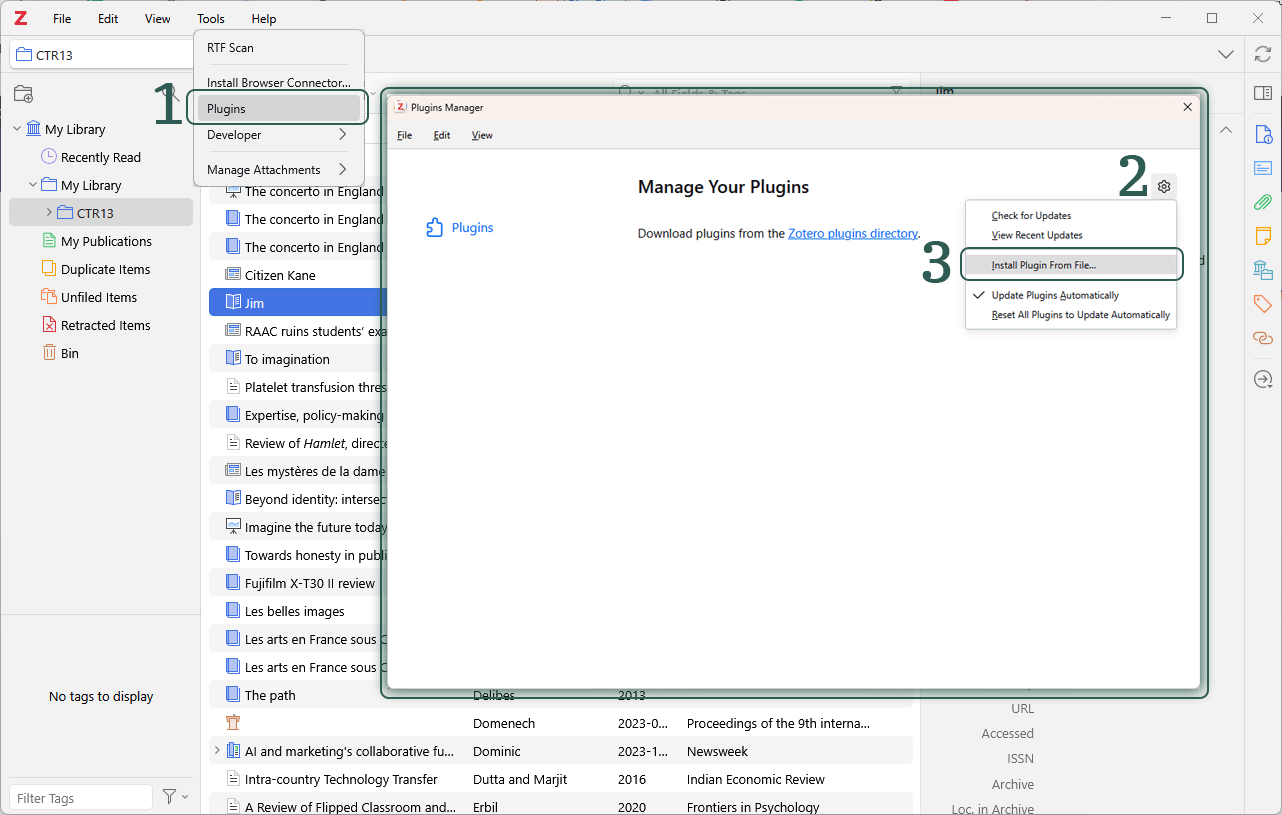
Open Zotero and go to Tools → Plugins (1) and open the ‘Plugin Manager’. Click on the cog icon (2), select ‘Install Plugin From File…’ (3) and select the downloaded .xpi file.
Step 3: Validating your licence
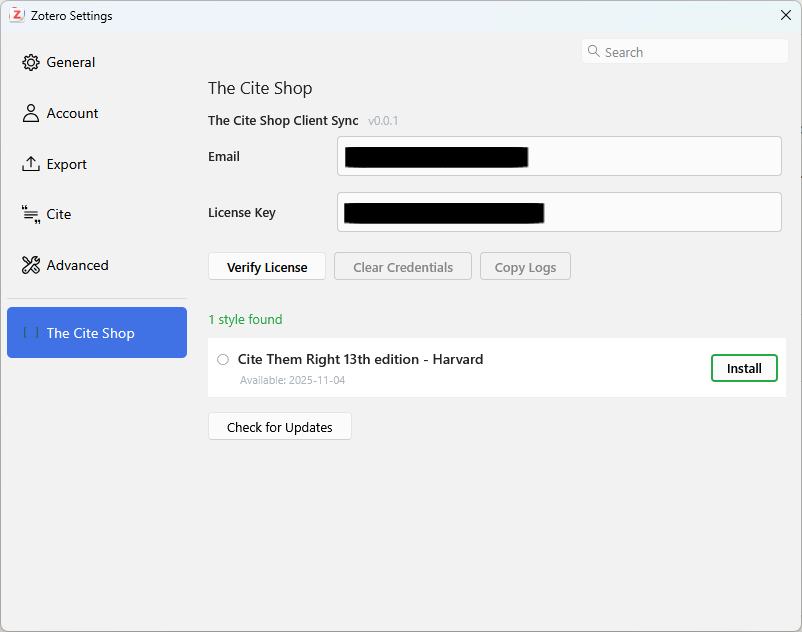
Once installed, the settings should open automatically. If not, you can find them under Edit → Settings (1) At the bottom left, you'll see a new section called "The Cite Shop" (2). Enter your e-mail address (4) and your licence key (5). You can find it in the confirmation email you received after your purchase or under My Account. It is important that you use the email address you used to purchase the licence.
Important: Please make sure you have a Zotero account and are logged in.

Step 4: Installing styles
Once your licence has been verified, the plugin will display all the citation styles included in your licence. Click on ‘Install’ – that’s it. The styles will be available to you in Zotero straight away.
Receiving updates
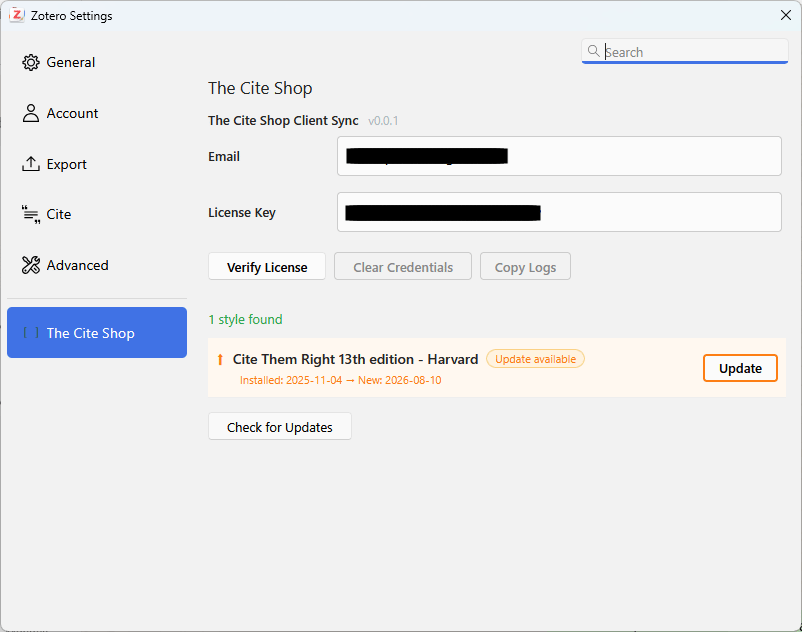
When a citation style is updated, the plugin will notify you that an update is available. Just one click is all it takes to get the latest version. You don’t need to do anything else apart from refreshing your document.
Important information
During the initial licence validation, your licence is linked to your unique Zotero ID. It is therefore essential that you have activated your Zotero account. If you have accidentally linked the wrong account to your licence, please contact us, stating your email address and the product you purchased.
Questions?
If you have any problems setting it up or any questions about the new system, please feel free to contact us via the contact form or per email.
Yes. During the first licence validation, your licence will be linked to your Zotero ID. The validation will not work unless you have an activated Zotero account.
Yes. As long as you’re logged in with the same Zotero account on all your devices, you can use the plugin and your styles on as many devices as you like.
Yes. Your licence is valid for life of your subscription (1 year) – including all future updates for the styles you have purchased. After your licence has expired, you lose access to updates as well as the style itself.
The plugin notifies you directly in Zotero when an updated version of one of your styles is available. You can install the update with a single click.
Get in touch with us via the contact form, then we'll unlink it so you can relink your licence.
You can retrieve your licence key either from the confirmation email you received after your purchase or go to My Account and log in in to view your subscription and licence keys there. If you can’t find the email, please get in touch.
Firefox attempts to install .xpi files as browser extensions (Zotero is based on Firefox). Right-click on the download link and select “Save Link As…” to save the file locally instead. You can then install it as usual via Zotero's Plugins section.
The plugin has been developed for Zotero 10 and later. I cannot guarantee compatibility with older versions.
No, the plugin solely works with Zotero.